





Microsoft has finally addressed a long-standing security flaw in the Canary version of the Edge Android app. It’s a biometric security flaw on the public version of the Edge app. You can still turn off the “Require Biometrics” option without actually confirming your biometrics.
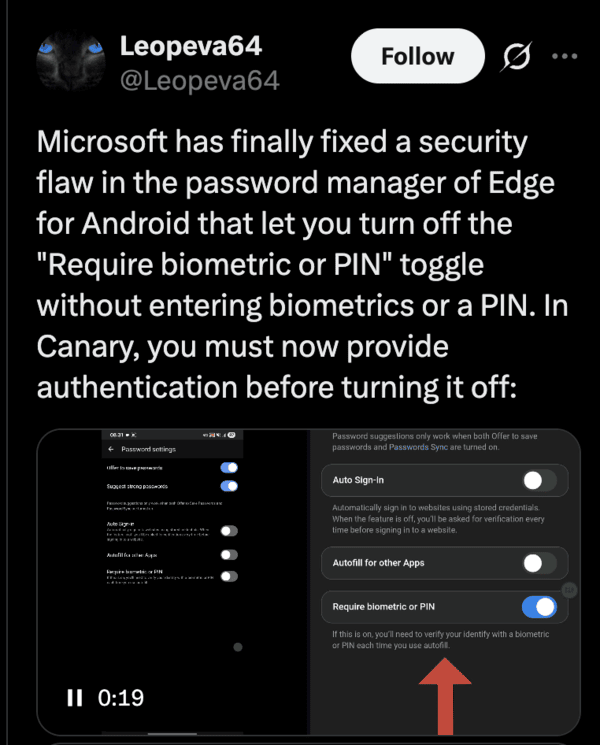
In an upcoming version of Edge, you need to provide authentication now to turn off the toggle. The security flaw lets users disable it entirely, which is risky, since anyone can directly autofill as well as access your passwords, provided they have physical access to your device.
A demonstration video on X shows the new requirement in action. Tapping the toggle brings up the authentication prompt. Black frames appear during the screen recording because Android does not permit recording the screen for the authentication dialog for security reasons.
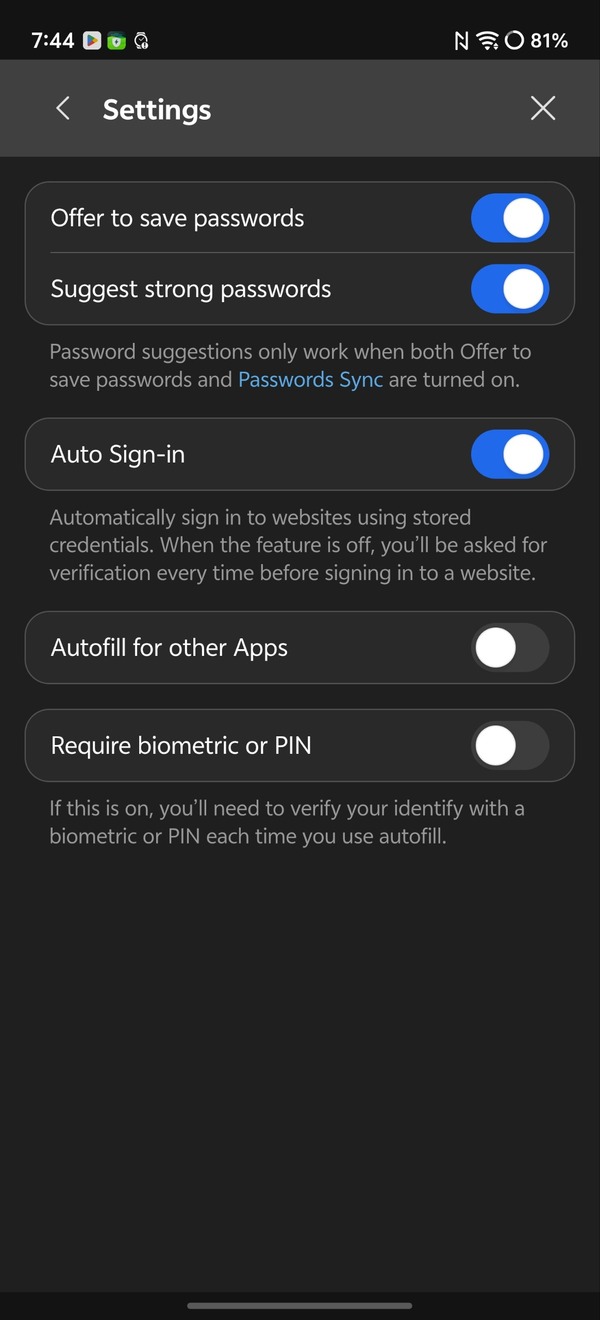
I’ve tried this myself, and for now, on the public build of Edge, it lets you turn off the biometric with no verification. Soon, users of Edge will no longer be able to easily deactivate the toggle.
A word of warning: I don’t recommend installing Canary on your device unless you’re a developer or tester. It’s a very unstable, buggy version of the Microsoft Edge browser, and it’s not intended for public use.
Microsoft is also planning some more changes to Edge. There are some interaction changes to Copilot, where the input box will automatically fill up with the query.
It’s good to see Microsoft taking security a bit more seriously, though this specific change is long overdue.


Dwayne Cubbins
2239 Posts
I cover fast-moving stories across apps, online platforms, and everyday tech — phones, wearables, consoles, and whatever else people are fighting with this week. Bugs, rollouts, scams, policy enforcement, and the occasional internet-culture rabbit hole are all fair game. My goal is simple — make confusing tech news readable. When I'm not working, I'm working out or chilling with my dog. Got a tip? You can find me on X @dcubbins.