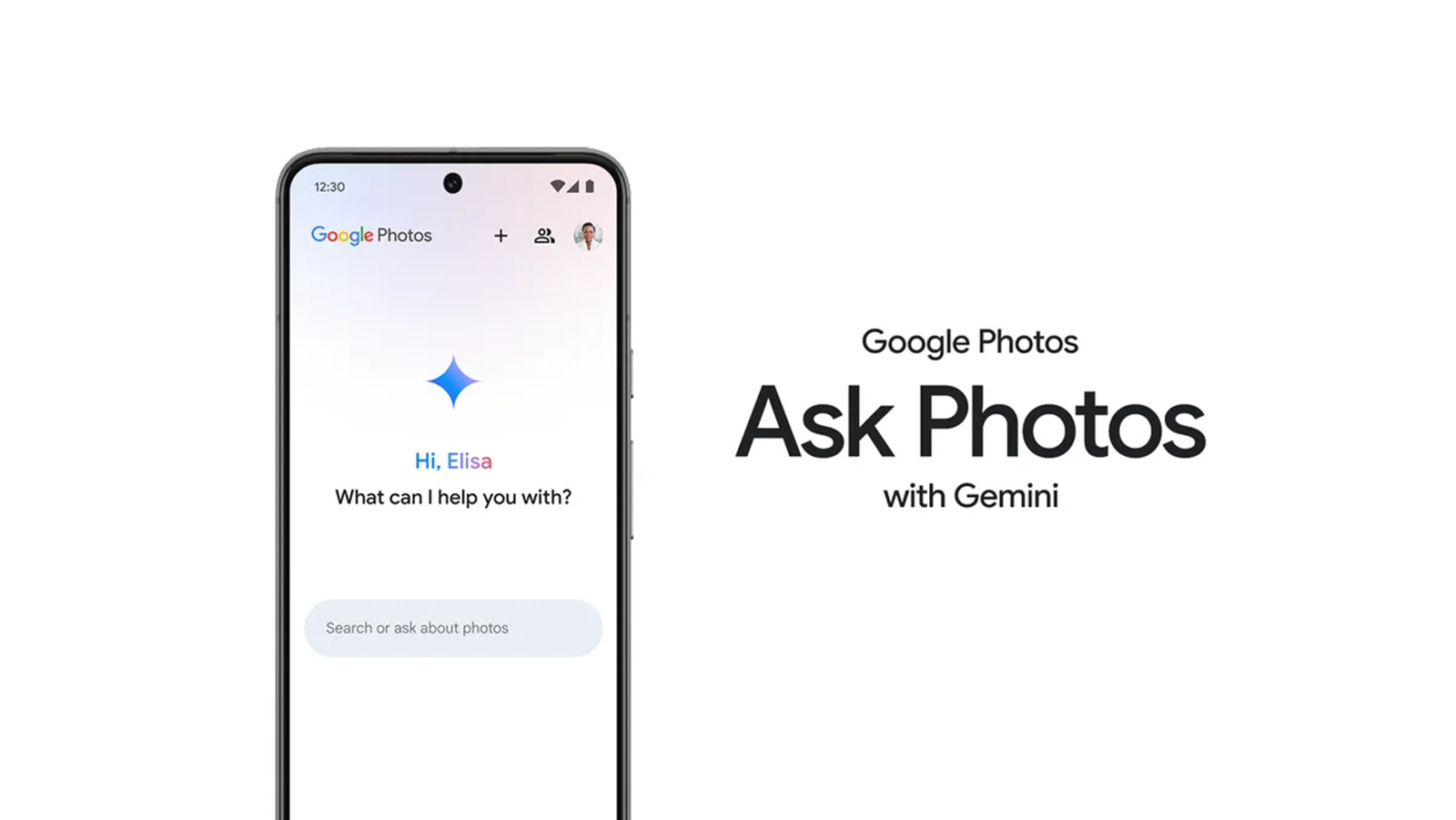
If you’ve opened Google Photos recently and felt a wave of frustration, you are not alone. After first teasing the feature in 2024 and expanding it widely in 2025, Google has now replaced the beloved classic search tool with its AI-driven “Ask Photos” functionality for many users.
While Google promises a more conversational way to find your memories, the reality for many long-time users is far less magical. In fact, a growing number of Pixel and Android users are calling for a way to opt out, labeling the new interface “the worst feature ever.”
Here is why users are upset—and, more importantly, how you can turn it off.
The backlash has been brewing for months, but it reached a boiling point this week. In a Reddit post that has already amassed over 1,600 upvotes, user rapgraves tore into the new functionality on the r/GooglePixel subreddit.
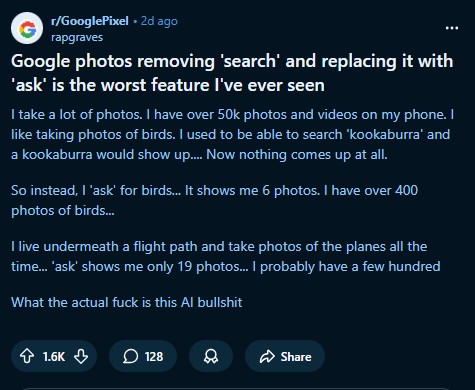
The user, who claims to have over 50,000 photos and videos, described a scenario that will sound painfully familiar to anyone who relies on specific keyword searches:
“I like taking photos of birds. I used to be able to search ‘kookaburra’ and a kookaburra would show up…. Now nothing comes up at all. So instead, I ‘ask’ for birds… It shows me 6 photos. I have over 400 photos of birds…”
The user continued, noting that despite living under a flight path and having hundreds of plane photos, the “Ask” feature could only surface 19 of them. The sentiment in the comments is nearly unanimous: users miss the precision of the old search and feel the AI layer is an unnecessary hurdle.
How to turn off Ask Photos (Gemini)
Fortunately, you are not stuck with this. If you want to purge the AI and get your standard search bar back, there is a hidden toggle deep in the settings.
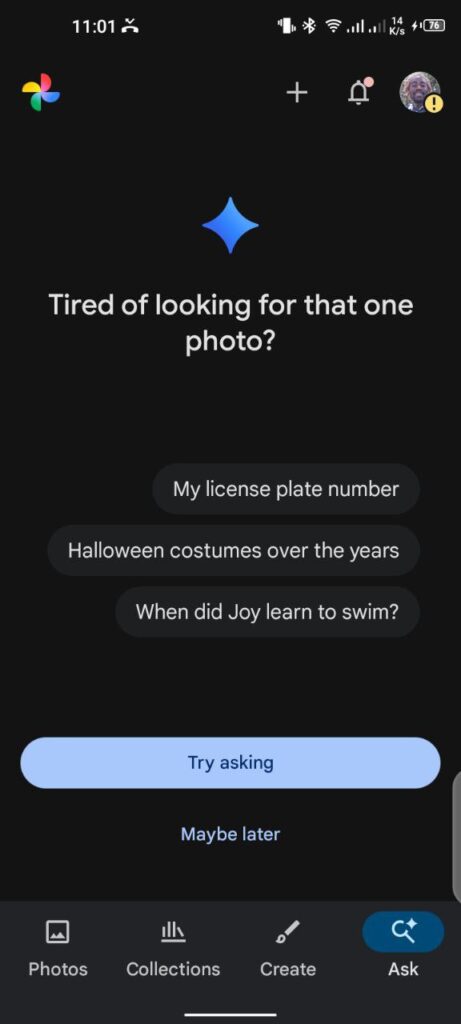
Follow these steps to disable Ask Photos:
- Open Google Photos.
- Tap your profile picture in the top-right corner.
- Select Photos settings.
- Tap on Preferences.
- Select Gemini features in Photos.
- Toggle OFF the “Search with Ask Photos” or “Use Gemini in Photos” entirely.
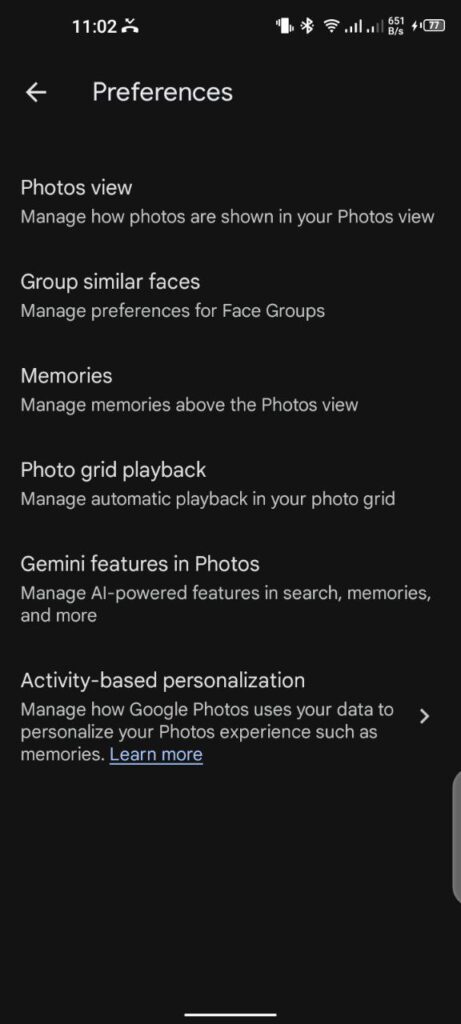
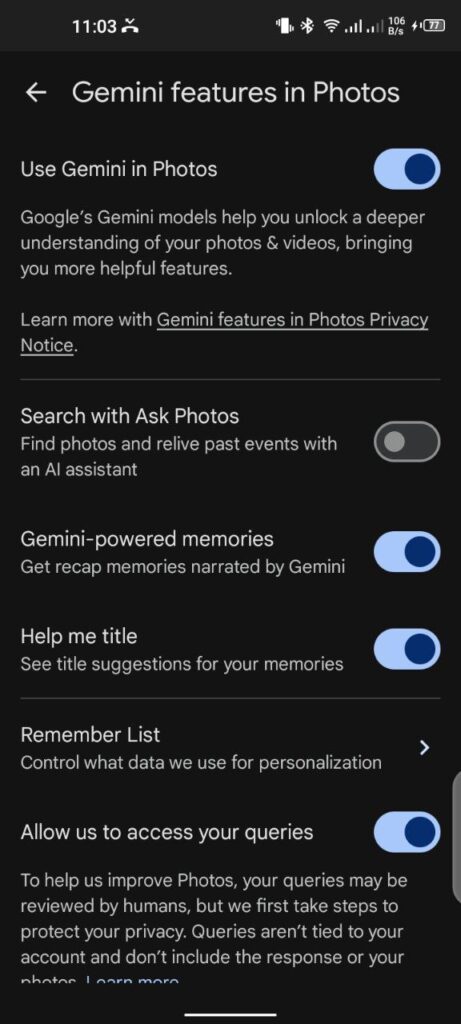
Once disabled, the app should revert to the standard interface you know and love.
The double-tap trick (alternative method)
If you are one of the users who actually likes the Gemini features for things like captions but hates the search interface—or if you simply can’t find the toggle mentioned above—there is a faster UI trick you can use right now.
You can keep the Gemini features enabled and still access Classic Search instantly. Simply double-tap the “Ask” button. A single tap opens the AI conversational interface, but a quick double-tap bypasses the AI entirely and launches the traditional search bar with your familiar people, places, and map view.
Are you seeing the new Ask interface? Let us know in the comments if you’re keeping it or switching back.


Hillary Keverenge
2577 Posts
Tech has been my playground for over a decade. While the Android journey began early, it truly took flight with the revolutionary Lollipop update. Since then, it's been a parade of Android devices (with a sprinkle of iOS), culminating in a mostly happy marriage with Google's smart home ecosystem. Expect insightful articles and explorations of the ever-evolving world of Android and Google products coupled with occasional rants on the Nest smart home ecosystem.
Next article View Article